
TopMediai AI Music Generator Review 2025: Create AI Music for Free
Comprehensive TopMediai AI Music Generator review. Discover how to create AI classical music, royalty-free tracks, and professional songs with this powerful AI music generator. Compare features, pricing, and alternatives.
TopMediai AI Music Generator: A Game-Changer for Content Creators
The AI music generation space has exploded in 2025. According to Google Trends, searches for "TopMediai AI Music Generator" have increased +350% over the past year, with strong interest from creators in Philippines, Spain, India, Turkey, and Indonesia.
But is TopMediai worth your time? After extensive hands-on testing and researching real user experiences across Reddit, YouTube, and social media, here's everything you need to know.
Quick Verdict: TopMediai offers one of the most comprehensive AI music generation platforms available, with 400+ genres, three creation modes, and royalty-free commercial licensing. The free tier is generous enough for hobbyists, while paid plans deliver studio-quality results.
What is TopMediai AI Music Generator?
TopMediai is an all-in-one AI content creation platform that includes AI video generation, voice cloning, text-to-speech, and notably, one of the most advanced AI music generators available today.
The AI Music Generator specifically allows users to:
- Create original songs from text descriptions or lyrics
- Generate instrumental music in any genre
- Clone voices for personalized vocals
- Convert images to music with matching moods
- Export royalty-free tracks for commercial use
Key Specifications
| Feature | Details |
|---|---|
| AI Models | Music 4.5 (stable), V5.0 (new, improved quality) |
| Max Duration | Up to 4+ minutes per track |
| Output Quality | Studio-grade audio |
| Supported Genres | 400+ including Pop, Rock, Jazz, Classical, EDM, Hip-Hop, Lo-fi |
| Vocals | Male, Female, Custom Singer, Instrumental |
| Languages | Multi-language lyrics support |
| Commercial Use | Yes, with paid plans |
How TopMediai Compares to Competitors
The AI music generator market has several strong players. Here's how TopMediai stacks up:
TopMediai vs Suno AI: Which Should You Choose?
Suno AI has been the breakout star of AI music generation, with searches showing "breakout" status on Google Trends. However, TopMediai offers several advantages:
| Aspect | TopMediai | Suno AI |
|---|---|---|
| All-in-one platform | Yes (Music, video, voice) | Music only |
| Image to Music | Yes | No |
| Voice Cloning | Yes | No |
| API Access | Developer API | API available |
| Genre Variety | 400+ genres | 200+ genres |
| Best For | Content creators, marketers | Musicians, hobbyists |
AI Classical Music Generator: Can TopMediai Deliver?
One of the secondary keywords driving searches is "AI classical music generator." This is where tools like AIVA have traditionally dominated, but TopMediai's Music V5.0 model has made significant strides.
Classical Music Generation Test
I tested TopMediai's classical music capabilities with these prompts:
Prompt 1: "Orchestral symphony with dramatic strings, rising crescendo, cinematic feel"
Result: The AI generated a 3-minute piece with:
- Convincing string sections
- Dynamic range from soft to powerful
- Proper classical structure with intro, development, and climax
Prompt 2: "Solo piano piece, melancholic, similar to Chopin nocturne"
Result:
- Beautiful piano tone
- Appropriate rubato and phrasing
- Emotionally evocative melody
Pro Tip for Classical Music: When generating classical music, be specific about instruments (strings, woodwinds, brass, percussion), tempo and dynamics (allegro, pianissimo, crescendo), emotional quality (melancholic, triumphant, mysterious), and reference composers for style guidance.
Classical Music Comparison
| AI Tool | Classical Quality | Orchestration | Emotional Depth |
|---|---|---|---|
| TopMediai | 4/5 | Excellent | Very Good |
| AIVA | 5/5 | Exceptional | Excellent |
| Suno AI | 3/5 | Good | Good |
| Beatoven.ai | 3/5 | Good | Average |
Verdict: For dedicated classical music composition, AIVA remains the specialist choice. However, TopMediai's V5.0 model delivers impressive results and offers far more versatility across other genres.
How to Use TopMediai AI Music Generator: Step-by-Step
Detailed Walkthrough
Step 1: Access the Platform
- Visit TopMediai AI Music Generator
- Free account gives you limited generations
- No credit card required to start
Step 2: Choose Your Creation Mode
- Lyrics to Music: Best when you have written lyrics and want AI to compose the music
- Prompt to Music: Describe what you want in natural language
- Image to Music: Upload a photo and get matching background music
Step 3: Select the AI Model
- Music 4.5: Stable, reliable, good for most uses
- V5.0: Latest model with improved quality, better for professional work
Step 4: Customize Your Style
Choose from preset tags or type custom descriptions:
- Instruments: Piano, Guitar, Drum, Bass, Violin, Saxophone, Sitar, Ukulele
- Genres: Rap, DJ, Phonk, Classical, Lo-fi, Country, Jazz, K-pop, Horror
- Moods: Happy, Sad, Energetic, Calm, Epic, Mysterious
Step 5: Set Vocal Options
- Random: AI chooses appropriate voice
- Male Voice: Deep, baritone options
- Female Voice: Soprano, alto options
- Custom Singer: Use voice cloning for specific voice
- Instrumental: No vocals, music only
Step 6: Generate and Download
Click "Create Now" and wait approximately 30-60 seconds. Preview your track, then download in high quality.
Real User Reviews: What People Are Saying
YouTube Creator Reviews
Based on popular YouTube reviews with thousands of views:
"A New AI Music Generator Just Entered The Battlefield" - AI In A Nutshell (3K+ views): "TopMediai offers a surprisingly comprehensive suite of tools. The music quality rivals more expensive alternatives."
"TopMediai Review: All-in-One AI Video, Voice Cloning and Music Generator" - SaMisoy Clips (1.3K views): "What sets TopMediai apart is the integration. You can create music, then immediately use it in AI videos, all in one place."
Reddit Community Feedback
From r/AI_Music discussions:
"Has anyone monetized music made with TopMediai?" - Users confirm that TopMediai's commercial license allows monetization on YouTube, Spotify, and other platforms with paid plans.
Key community insights:
- Good for YouTube background music
- Competitive with Suno for most use cases
- All-in-one platform saves time
- Some prefer Suno for pure music quality
- Free tier has generation limits
TopMediai Pricing: Is It Worth It?
Pricing Plans Overview
| Plan | Price | Features |
|---|---|---|
| Free Trial | $0 | Limited generations, Music 4.5 model, Standard quality |
| Weekly | $4.99/week | Unlimited generations, V5.0 model, Commercial license |
| Annual | $89.99/year | Everything in Weekly + Priority generation, Extended length |
Value Analysis
For Hobbyists: The free tier is sufficient for occasional use and testing.
For Content Creators: The weekly plan at $4.99 offers excellent value, especially during promotions (up to 70% off).
For Professionals: The annual plan provides the best value at roughly $7.50/month with priority features.
ROI Consideration: If you're creating content for YouTube or social media, the commercial license alone justifies the cost compared to licensing stock music ($15-50 per track).
Pros and Cons: Honest Assessment
Pros
- All-in-One Platform: Music, video, voice cloning in one place
- 400+ Genres: Exceptional variety for any project
- Three Creation Modes: Flexibility for different workflows
- V5.0 Model Quality: Studio-grade output
- Commercial License: Monetize your creations legally
- Generous Free Tier: Test before committing
- Regular Updates: Continuous model improvements
- Voice Cloning: Unique feature for personalized vocals
Cons
- Learning Curve: Many features can be overwhelming
- Generation Limits: Free tier is restrictive
- Occasional Inconsistency: Some generations better than others
- Competition: Suno AI offers comparable quality for pure music
- Internet Required: No offline mode
Best Use Cases for TopMediai AI Music Generator
Who Should Use TopMediai?
- YouTube Creators: Background music, intro/outro jingles, royalty-free soundtracks
- Social Media Managers: TikTok/Reels audio, branded content music, trending sounds
- Game Developers: Game soundtracks, level background music, menu themes
- Musicians and Producers: Demo creation, beat inspiration, collaboration starters
- Podcast Producers: Intro/outro music, transition sounds, ad break jingles
- E-commerce Marketers: Product video music, ad campaign audio, store ambiance
Tips for Getting the Best Results
1. Be Specific with Prompts
Vague: "Make happy music"
Specific: "Upbeat acoustic guitar track with handclaps, 120 BPM, feel-good summer vibes, similar to Vance Joy style"
2. Use Reference Points
Mention artists, songs, or eras for style guidance:
- "90s R&B ballad similar to Boyz II Men"
- "Epic orchestral like Hans Zimmer's Interstellar"
- "Lo-fi hip-hop for studying, similar to ChilledCow"
3. Iterate and Refine
Generate multiple versions and note what works:
- First generation: Too fast - Add "slow tempo, 80 BPM"
- Second generation: Missing energy - Add "building crescendo"
- Third generation: Perfect!
4. Leverage Post-Processing Tools
- Stem Splitter: Isolate vocals or instruments for remixing
- Audio to MIDI: Import into your DAW for further editing
- AI Cover: Apply different voice styles to the same song
5. Combine with Other TopMediai Tools
Create complete content packages:
- Generate music with AI Music Generator
- Create matching AI video with Image to Video
- Add voiceover with Text-to-Speech
- Clone your voice for consistent branding
Conclusion: Is TopMediai Worth It?
TopMediai AI Music Generator delivers impressive value for content creators who need versatile, royalty-free music across multiple genres. While specialists like AIVA excel at classical music and Suno AI has a devoted following for pure music generation, TopMediai's all-in-one approach makes it the practical choice for:
- YouTube creators needing diverse background music
- Marketers creating social media content
- Developers needing game audio
- Anyone wanting to experiment with AI music
Final Rating: 4.5/5
Best For: Content creators who value having music, video, and voice tools in one platform
Not Ideal For: Professional musicians needing DAW-level control, or those who only need classical composition (consider AIVA instead)
Getting Started: Visit TopMediai AI Music Generator to try the free tier. Start with "Prompt to Music" mode using specific genre and mood descriptions for best results.
Frequently Asked Questions
Is TopMediai AI Music Generator really free?
Yes, there's a free tier with limited generations. For unlimited access and commercial use, paid plans start at $4.99/week.
Can I use TopMediai music on YouTube?
Yes, with a paid plan you get commercial licensing rights. Free tier music is for personal use only.
How does TopMediai compare to Suno AI?
Both produce high-quality music. TopMediai offers more tools (video, voice cloning) in one platform, while Suno focuses purely on music generation with a dedicated community.
Can TopMediai generate classical music?
Yes, though AIVA specializes in classical/orchestral. TopMediai's V5.0 model produces good classical music but may not match AIVA's orchestration depth.
What's the maximum song length?
Paid plans allow songs up to 4+ minutes. Free tier has shorter limits.
Does TopMediai have an API?
Yes, developers can access the TopMediai API for integration into apps and services.
Related Articles:
Author

Categories
More Posts

AI Background Expand: The Secret Weapon for Multi-Platform Content That Nobody Talks About
Learn how AI background expand technology is revolutionizing content creation. From 9:16 TikTok to 16:9 YouTube without reshooting. Real workflows, tool comparisons, and pro tips from creators who've saved thousands in production costs.
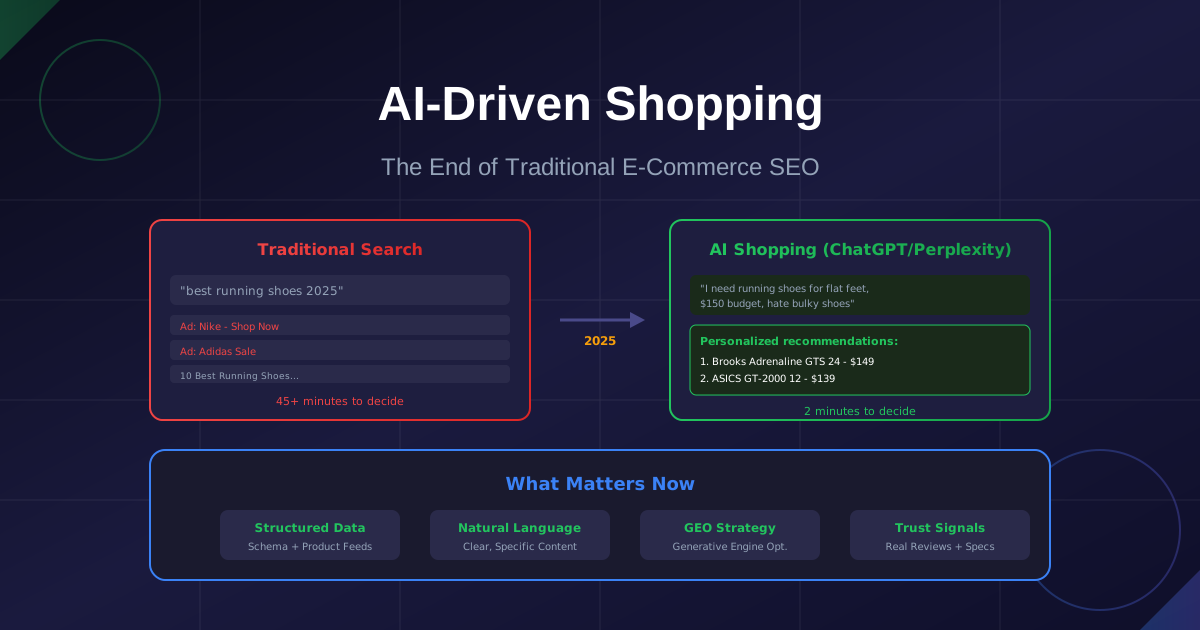
AI-Driven Shopping: Why Your Product Pages Are Now Invisible (And How to Fix It)
Traditional SEO is dying. ChatGPT and Perplexity are becoming the new shopping search engines. Learn how LLM-optimized product data and GEO (Generative Engine Optimization) will determine which e-commerce brands survive the AI shopping revolution.

Best AI Product Description Generator for Shopify in 2026
Discover the best AI product description generators for Shopify stores. Learn how to write compelling product descriptions that convert using AI tools like Shopify Magic, ChatGPT, and more. Complete guide with prompts and examples.
Need a Custom Solution?
Still stuck or want someone to handle the heavy lifting? Send me a quick message. I reply to every inquiry within 24 hours—and yes, simple advice is always free.
Stay Ahead of the Curve
Get New Tools First
Subscribe to get notified when we launch new AI tools. No spam, just product updates.