
AI Background Expand: The Secret Weapon for Multi-Platform Content That Nobody Talks About
Learn how AI background expand technology is revolutionizing content creation. From 9:16 TikTok to 16:9 YouTube without reshooting. Real workflows, tool comparisons, and pro tips from creators who've saved thousands in production costs.
The $47 Billion Problem Nobody Wants to Talk About
Here's an uncomfortable truth that the social media gurus won't tell you: shooting content once and posting it everywhere is a fantasy. A dangerous one that's costing creators and brands billions in lost engagement every year.
The math is brutal. TikTok wants 9:16. Instagram Reels demands 9:16 but Feed posts perform better at 4:5. YouTube Shorts needs 9:16, but your main channel content should be 16:9. LinkedIn prefers 1:1. Pinterest loves 2:3. Twitter/X does best with 16:9 but also supports 1:1.
That's seven different aspect ratios for seven different platforms. And if you're a serious content creator or an ecommerce seller trying to maximize reach, you're either shooting everything multiple times, cropping the hell out of your footage and losing critical visual information, or you're leaving money on the table.
Until now.
What AI Background Expand Actually Does (And What It Doesn't)
Let's cut through the marketing hype and get technical for a moment.
AI Background Expand, also called "outpainting" in the image world or "video expansion" for motion content, uses generative AI to intelligently extend the edges of your frame. It's not stretching pixels. It's not mirroring content. It's literally creating new, contextually appropriate visual information that didn't exist before.
The technology analyzes your existing frame, understands the scene context, lighting conditions, color palette, and visual style, then generates new content that seamlessly blends with what you already have. Shoot a product video in vertical format, and the AI can extend the sides to create a horizontal version that looks like it was always meant to be that way.
This is fundamentally different from three common approaches that people confuse it with.
First, there's cropping and reframing. This is what most people do, and it's destructive. You're throwing away pixels and often cutting off important visual information. A product shot that looked perfect in 16:9 might lose critical context when cropped to 9:16.
Second, there's letterboxing or pillarboxing. Adding black bars to fill the frame. It's technically accurate but screams "this content wasn't made for this platform." Engagement rates plummet because it looks unprofessional and wastes valuable screen real estate.
Third, there's simple background extension using blur or solid colors. Better than letterboxing, but still obviously artificial. Users scroll past content that doesn't look native to the platform.
AI Background Expand is none of these. It's generative, intelligent, and when done right, completely invisible.
The Tools That Actually Work in 2025
Let me save you weeks of testing. After going through every major AI video and image expansion tool, here's what actually delivers professional results and what's still catching up.
Runway's Expand Video feature, released in November 2024, is currently the gold standard for video expansion. It's powered by their Gen-3 Alpha Turbo model and handles motion remarkably well. The key differentiator is temporal consistency, meaning the generated content stays stable across frames instead of flickering or morphing. For professional video work where quality matters, this is your go-to.
The pricing model is credits-based, which can get expensive for high-volume work, but the quality justifies it for client-facing content. Expect to pay around $0.05 to $0.10 per second of expanded video depending on your plan and the complexity of the expansion.
CapCut's AI Expand is the surprising democratizer in this space. Available in both the desktop and mobile apps, it's bringing video expansion to creators who would never touch Runway's interface. The quality isn't quite at Runway's level, especially for complex scenes, but for social media content where viewers scroll quickly, it's often good enough. And the price is right: it's included in CapCut's free tier with some limitations.
Justin Brown from Primal Video called it "WILD" in a video that's been viewed over 38,000 times, and he's not wrong. For TikTok creators and small business owners, CapCut's accessibility makes it the practical choice even if it's not the technical leader.
Pika Labs brought video expansion to the AI video generation space with their "Expand Canvas" feature. It works differently from Runway, generating outward from your video rather than analyzing and extending. The results can be more creative but less predictable. It's excellent for stylized content where perfect realism isn't the goal.
Kling O1, the latest from Kuaishou, includes video expansion as part of its comprehensive editing toolkit. The results are competitive with Runway, and the pricing can be more favorable for certain use cases. If you're already in the Kling ecosystem for text-to-video generation, their expansion feature is worth testing.
For image expansion specifically, Adobe's Generative Fill in Photoshop remains excellent, Google's Nano Banana through Gemini is surprisingly capable and free, and DALL-E 3's outpainting through ChatGPT Plus handles creative expansions well. Each has different strengths depending on your source material and target output.
The Workflow That Actually Saves Time
Here's where theory meets practice. After testing dozens of workflows, here's the one that consistently delivers results without burning hours on trial and error.
Step one: Shoot with expansion in mind. This is the biggest mistake I see creators make. They shoot tight compositions without any breathing room, then wonder why AI expansion looks awkward. Give yourself a 15-20% buffer around your main subject. Shoot a bit wider than you think you need. This gives the AI context to work with and reduces the chance of weird artifacts at the edges.
Step two: Choose your primary format strategically. For most creators, starting with 4:5 or 1:1 gives you the most flexibility. You can expand horizontally for 16:9 YouTube content and vertically for 9:16 TikTok and Reels. Starting with 16:9 and trying to create vertical content requires massive expansion that's more likely to introduce artifacts.
If your primary platform is YouTube long-form, shoot in 16:9 with extra headroom and frame loosely. If your primary platform is TikTok or Instagram, shoot in 9:16 but frame with the center third as your "safe zone" for potential horizontal crops or expansions.
Step three: Run a test expansion before your full edit. Don't wait until you've spent hours editing to discover that a particular shot doesn't expand well. Take 10 seconds of your most challenging footage, run it through your chosen tool, and identify any problem areas. Common issues include shots where the subject moves to the frame edge, complex patterns that are hard to continue naturally, and scenes with specific recognizable elements like text or logos that might get incorrectly duplicated.
Step four: Export multiple versions in batch. Most professional workflows involve exporting your master edit, then creating platform-specific versions. Set up your AI expansion tool to process multiple clips while you handle other tasks. Runway allows batch processing with their API. CapCut handles this through project duplication and preset aspect ratios.
Step five: Quality check expanded areas specifically. Don't just watch the final video and assume it's good. Scrub through slowly and watch the expanded areas. Look for temporal inconsistencies where the generated content flickers or changes inappropriately between frames. Check for "impossible geometry" where the AI created something that doesn't make spatial sense. Verify that lighting in the expanded areas matches the original.
Real Numbers: What This Actually Costs
Let's talk money, because this is where AI Background Expand either makes sense for your business or doesn't.
For a content agency producing 20 videos per month across multiple platforms, the traditional approach would involve either shooting everything twice with different framing, requiring double the studio time and talent costs, or hiring a motion graphics artist to manually extend backgrounds at $50-150 per hour. Conservative estimate for the reshoot approach: $2,000-5,000 extra per month. For the manual extension approach: $1,500-3,000 per month.
With AI Background Expand, assuming you're using Runway for high-quality output, you're looking at roughly $100-300 per month in credits for that same volume. CapCut would be free or near-free for most of that work.
That's a 90% cost reduction in the worst case scenario.
But the real savings aren't just in direct costs. It's the time savings. A video editor spending 4 hours manually creating multi-platform versions can now do the same work in 30 minutes. That's time that can go toward more creative work, more content output, or just shipping faster to beat competitors to trending topics.
For ecommerce sellers specifically, the math is even more compelling. Product videos that previously required separate shoots for your website, Amazon listings, Instagram shop, and TikTok shop can now come from a single session. If you're selling products with seasonal relevance, that speed advantage can mean the difference between capturing a trend and missing it entirely.
The Uncomfortable Truths About AI Background Expand
Let me be real about the limitations, because overselling this technology does nobody any favors.
It's not magic. If your original footage has a person walking out of frame, the AI might struggle to generate a plausible continuation of their body. Complex motion that extends beyond the original frame boundaries is the hardest case for current technology.
Quality depends heavily on source material. A well-lit, clean background with clear edges expands beautifully. A chaotic scene with multiple overlapping elements and inconsistent lighting? The AI has to make more guesses, and guesses can be wrong.
Temporal consistency is still the Achilles heel. Even Runway's best models occasionally produce frames where the generated content doesn't quite match the previous frame. For fast social media content, viewers might not notice. For high-end commercial work, you might need to touch up specific frames.
It works better for some content types than others. Static product shots? Excellent results. Talking head videos where the background is mostly steady? Great. Fast-paced action with constant camera movement? More challenging.
The honest assessment is that AI Background Expand is a massive time saver that delivers good-to-excellent results 80-90% of the time. The remaining 10-20% might need manual cleanup or alternative approaches. Knowing this upfront lets you plan accordingly rather than discovering limitations mid-project.
What's Coming Next
The current generation of AI Background Expand tools represent maybe version 2.0 of this technology. Based on research publications and announced features from major players, here's what's on the horizon.
Real-time expansion during capture is already being tested. Imagine shooting a TikTok and seeing the expanded 16:9 version rendering live in a preview window. Your smartphone's AI processor handles the expansion on-device, and you're simultaneously creating content for multiple platforms without any post-production step.
Object-aware expansion is getting smarter. Current tools treat the entire frame edge as equivalent. Next-gen models will understand that the coffee table in the corner should continue naturally while the person sitting at it should not be duplicated.
Integration with AI avatars and virtual production is the bigger picture play. As AI-generated presenters and virtual sets become more common, background expansion becomes just one component of fully synthetic video production. A creator could film themselves against a green screen, let AI generate and expand the background, add AI-generated supporting elements, and produce content that would have required a full production team just two years ago.
The trajectory is clear: what requires dedicated tools and workflows today will be invisible, instant, and integrated into every video app within 24-36 months.
Practical Next Steps
If you're reading this and want to actually implement AI Background Expand in your workflow, here's your action plan.
This week: Download CapCut if you haven't already. Take one of your existing vertical videos and test the AI Expand feature. Note what works and what doesn't. This costs you nothing and takes 15 minutes.
This month: If the CapCut results satisfy your quality needs, build it into your standard workflow. If you need higher quality, sign up for a Runway trial and compare results on the same source footage.
This quarter: Audit your content calendar and identify which pieces could benefit most from multi-platform expansion. High-performing content that's currently single-platform is your low-hanging fruit.
Long-term: Consider shooting new content with expansion in mind from the start. Frame wider, light evenly to the edges, and maintain clean backgrounds that AI can seamlessly extend.
The creators and businesses who master this workflow now will have a structural advantage as multi-platform content becomes even more essential to reach fragmented audiences. The cost and time barriers that used to make multi-platform content prohibitive are collapsing.
The question isn't whether to adopt AI Background Expand. It's how quickly you can integrate it before your competitors do.
Get Started: Try AI-powered image and video tools at MDZ.AI to streamline your multi-platform content workflow. Our toolkit includes AI product photography, background manipulation, and content generation features designed for ecommerce and content creators.
Last updated: December 2025. AI tools and capabilities evolve rapidly. This guide reflects the current state of technology and will be updated as significant new features launch.
Author

Categories
More Posts
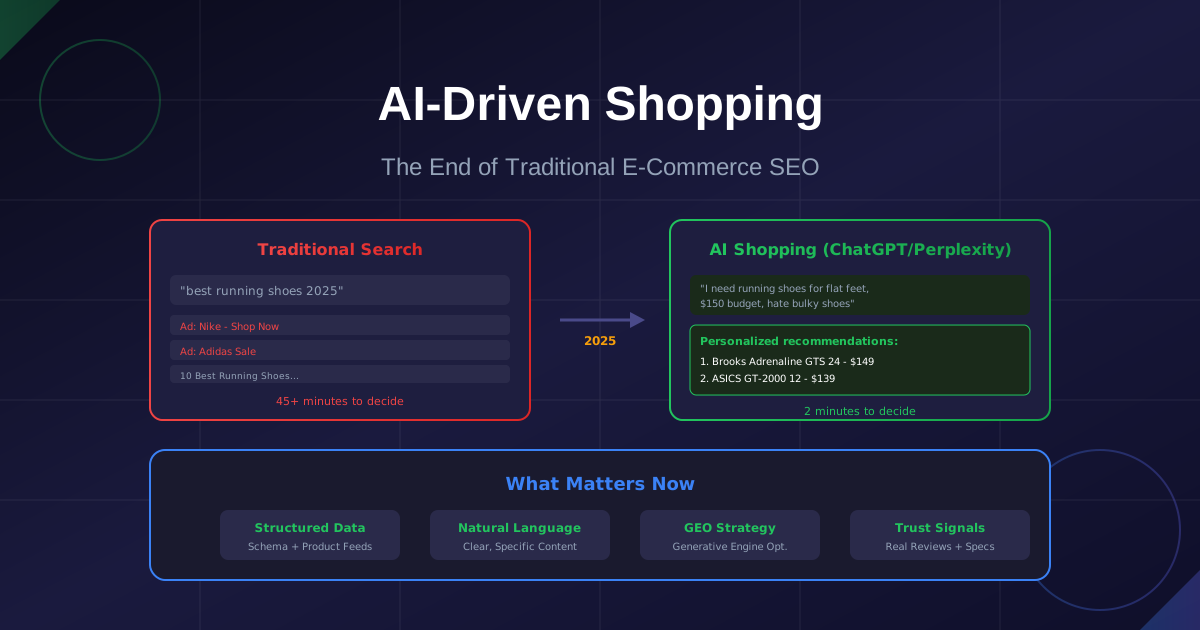
AI-Driven Shopping: Why Your Product Pages Are Now Invisible (And How to Fix It)
Traditional SEO is dying. ChatGPT and Perplexity are becoming the new shopping search engines. Learn how LLM-optimized product data and GEO (Generative Engine Optimization) will determine which e-commerce brands survive the AI shopping revolution.

The 7 Best AI Tools for Shopify Stores in 2026 (US Market Guide)
Discover the top AI apps for Shopify that actually move the needle in 2026. From automated customer support to AI-driven merchandising workflows, these tools are built to increase your store's AOV and conversion rates.

Beyond ChatGPT: The Rise of Vertical AI for E-commerce (Shopify, Amazon, Etsy)
Generic AI is failing Shopify store owners. The next wave of profitable Micro-SaaS won't be another chatbot—it'll be hyper-specialized AI trained on your niche. Learn why vertical AI wins, how to build it, and the business model behind niche e-commerce tools.
Need a Custom Solution?
Still stuck or want someone to handle the heavy lifting? Send me a quick message. I reply to every inquiry within 24 hours—and yes, simple advice is always free.
Gardez une longueur d'avance
Obtenez les nouveaux outils en premier
Abonnez-vous pour être notifié lors du lancement de nouveaux outils IA. Pas de spam, juste des mises à jour produit.